How the Internet Works
The Internet is a global system of interconnected computer networks operating on standardized communication protocol suites, primarily TCP/IP.[1] At its physical base, data travels through a vast infrastructure of fiber-optic subsea cables, copper wiring, and wireless signals in the form of light or electrical pulses.[1:1] Logically, information is split into small units called "packets," assigned IP addresses for routing, navigated across independent networks via Border Gateway Protocol (BGP), resolved through the Domain Name System (DNS), and reassembled at its final destination.[1:2]
1. Physical Infrastructure: The Global Hardware Web
While end users interact with the Internet through wireless interfaces, the backbone of global networking is physical hardware.[1:3]
Essential Hardware Layers
-
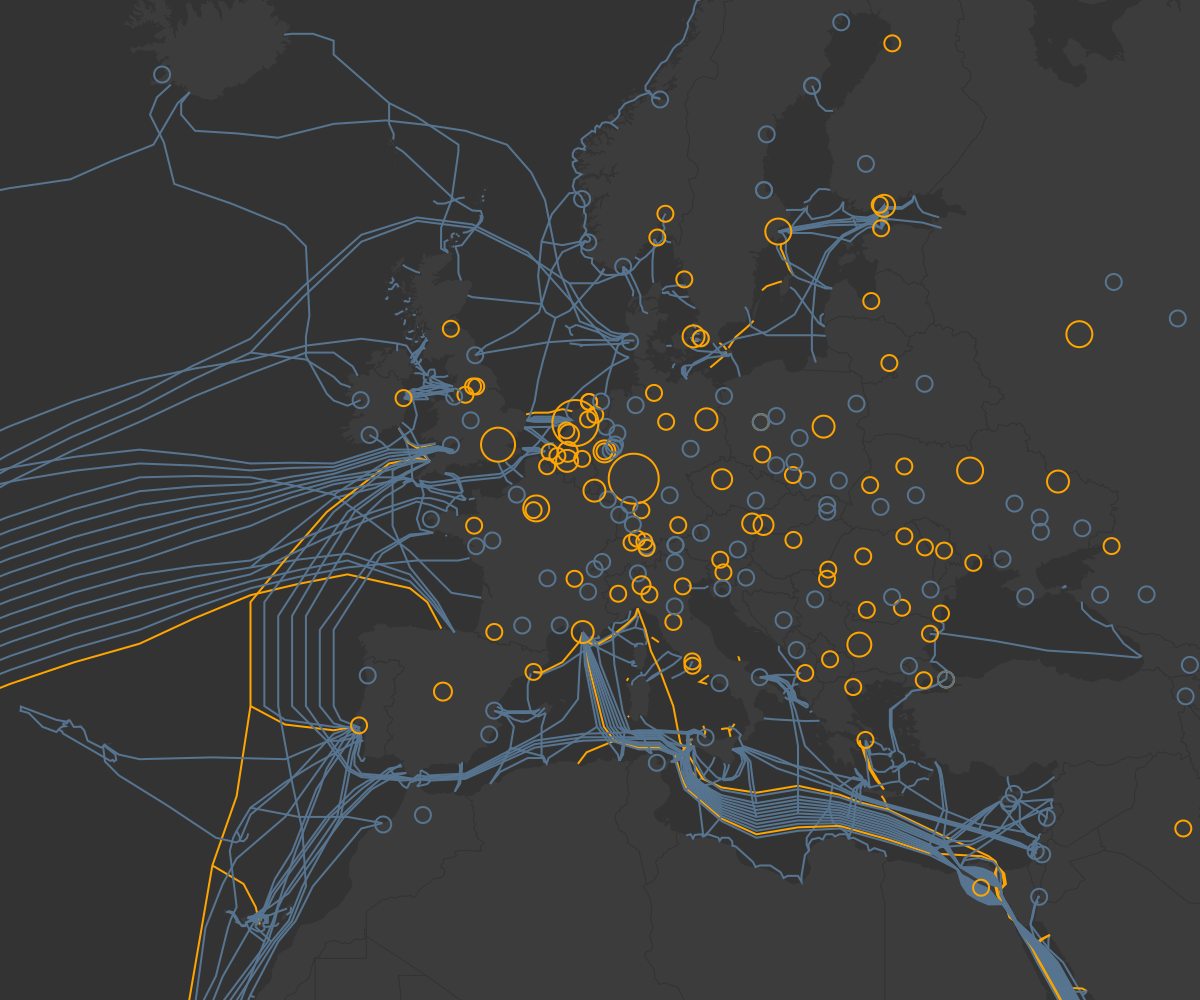
Fiber-Optic Subsea Cables: Over 95% of international internet traffic travels through fiber-optic cables running along the ocean floor. These glass filaments transmit binary data via laser-generated light pulses operating close to the speed of light.
-
Routers and Switches:
-
Internet Exchange Points (IXPs): Physical facilities where Internet Service Providers (ISPs), Content Delivery Networks (CDNs), and large enterprise networks interconnect to directly swap traffic without relying on third-party transit routes.
-
Data Centers and Servers: Specialized high-performance computers stored in secure facilities worldwide that host websites, software, and databases, listening for inbound client requests.[1:6]
2. Logical Architecture: Protocols and Packet Switching
To allow millions of different computer hardware and operating system combinations to talk to one another, the Internet relies on standardized rules called protocols.[1:7]
The TCP/IP vs. OSI Model
Network communications are conceptualized using layered models where each layer handles a distinct function and communicates with the layers directly above and below it.[2]
| Layer | OSI Model (7 Layers) | TCP/IP Model (4 Layers) | Key Protocols / Technologies | Primary Function |
|---|---|---|---|---|
| Application | Application, Presentation, Session | Application | HTTP, HTTPS, DNS, SSH, SMTP | Formats data for end-user applications and web browsers. |
| Transport | Transport | Transport | TCP, UDP | Manages end-to-end data transfer, error detection, and ordering. |
| Internet / Network | Network | Internet | IP (IPv4, IPv6), ICMP, BGP | Handles logical addressing and determines packet routing across networks. |
| Network Access | Data Link, Physical | Network Access / Link | Ethernet, Wi-Fi (802.11), Fiber | Converts data into electrical, optical, or radio signals over physical media. |
Packet Switching Mechanism
Rather than establishing a continuous, dedicated circuit between two machines (like traditional landline telephones), the Internet utilizes packet switching.[1:8]
-
Fragmentation: The sending device breaks data files into smaller chunks called packets.[1:9]
-
Encapsulation: Each packet is given a Header containing metadata (source IP, destination IP, sequence number, checksum) and a Payload (the actual data content).[2:2]
-
Independent Routing: Packets are sent individually through the network. Routers along the route inspect each packet's header and send it along the most efficient path available.[1:10]
-
Reassembly: The destination host receives the packets out of order, uses TCP sequence numbers to re-arrange them correctly, checks for missing data, and reassembles the original file.[1:11]
3. Addressing & Routing: IP, DNS, and BGP
For data packets to navigate from source to destination, the Internet relies on three main navigation mechanisms.
IP Addressing (IPv4 vs. IPv6)
An Internet Protocol (IP) address serves as a unique digital location for any device connected to the network.[1:12]
-
IPv4: Uses 32-bit addresses formatted as four decimal numbers separated by dots (e.g.,
192.168.1.1). It provides approximately( billion) unique addresses, which are now largely depleted. -
IPv6: Developed to address IPv4 exhaustion, IPv6 uses 128-bit addresses formatted in hexadecimal (e.g.,
2001:0db8:85a3:0000:0000:8a2e:0370:7334). It allows for overunique addresses.
Domain Name System (DNS)
Since humans remember text names rather than numerical IP addresses, DNS converts human-friendly hostnames into machine-readable IP addresses.[1:13]
User enters "example.com"
        │
        ▼
1. Recursive Resolver (ISP or Public 1.1.1.1)
        │
        ▼
2. Root Name Server (Directs to TLD)
        │
        ▼
3. TLD Name Server (.com authority)
        │
        ▼
4. Authoritative Name Server (Returns IP: 93.184.216.34)
Border Gateway Protocol (BGP)
The Internet is divided into over 100,000 independent networks called Autonomous Systems (AS), managed by ISPs, tech corporations, or universities. BGP acts as the Internet's routing control system, enabling autonomous systems to constantly broadcast reachable routes to each other and select the optimal path for data movement across global networks.
4. End-to-End Data Journey: Requesting a Webpage
When a user enters [https://example.com](https://example.com) into a web browser, the system executes a precise, multi-step sequence within milliseconds:
-
DNS Resolution: The client checks local caches for
example.com. If not found, a DNS query resolves the IP address of the target server.[1:14] -
TCP Three-Way Handshake: The browser initiates a reliable transport connection with the web server via TCP:[3]
-
SYN: The client sends a synchronization packet to request a connection.
-
SYN-ACK: The server acknowledges the request and sends back its own synchronization signal.
-
ACK: The client acknowledges the server's response. The connection is established.[3:1]
-
-
TLS Encryption Negotiation: For secure connections (
https), the browser and server execute a TLS handshake to authenticate server identities and establish encrypted symmetric session keys. -
HTTP Request Forwarding: The browser transmits an HTTP
GETrequest. The OS packages this request into TCP segments, encapsulates them in IP packets, and forwards them to the local network router.[1:15] -
Transit Across the Backbone: Core routers use BGP tables to pass the packets across intermediate Autonomous Systems until they reach the target server.[1:16]
-
Server Response & Rendering: The server processes the request and sends the webpage components back in packets. The client reassembles the packets in order, decodes the HTML, CSS, and JavaScript, and renders the webpage on the user's screen.[1:17]
5. Security & Network Reliability
Core internet protocols like IP and TCP were originally designed for open academic collaboration and lacked built-in security features.[4] Modern security protocols wrap these foundational layers to ensure data privacy, authenticity, and infrastructure resilience.
Key Security Layers
-
HTTPS & TLS/SSL: Transport Layer Security (TLS) encrypts application traffic, preventing unauthorized parties on intermediate networks from intercepting or modifying data in transit.
-
Firewalls & Inspection Systems: Security systems monitor inbound and outbound traffic against policy rules to block malicious access and prevent unauthorized network intrusions.
-
Distributed Fault Tolerance: The Internet's mesh-like structure ensures high availability. If a physical subsea cable or core router experiences an outage, BGP automatically updates routing tables to direct traffic around the disruption.[1:18]
Resonant Notes
- Timothy John Berners-Lee — The inventor of the World Wide Web (HTTP, HTML, URLs), whose application layer sits atop the TCP/IP and DNS infrastructure that makes the internet function.
- Net Neutrality — Builds directly on the internet's packet-switching architecture and ISP gatekeeper model, discussing Deep Packet Inspection and the end-to-end principle that governs how data flows across networks. The TCP/IP, DNS, and BGP infrastructure described here is the technical substrate that net neutrality regulations protect from discriminatory ISP practices.
- The Internet of Things (IoT) — Extends internet connectivity to physical devices and sensors, relying on the same TCP/IP, DNS, and routing infrastructure described in this note.
- Information Networks and the Architecture of Social Order — Explores Shannon's information theory and network topology, which underpin the mathematical foundations of digital communication and the internet's layered architecture.
- Analytical Review - Nexus and the Evolution of Information Networks — Examines how information networks (including the internet) shape civilization and geopolitics, connecting the technical infrastructure to broader societal impact.
- Cryptocurrency for Idiots — Blockchain and cryptocurrency networks are built on top of internet protocols, using decentralized peer-to-peer networking that relies on the same TCP/IP foundation.
- Why Canada Will Never Have a WeChat — Discusses digital infrastructure, embedded finance APIs, and the architectural choices of internet-based platforms, all of which depend on the internet's core protocols.
- The Digital Utility - Evaluating Technology's Impact on Work, Education, and Civic Life in Toronto — Explores how internet infrastructure enables smart transit systems and digital civic services, applying the technical foundations to urban life.
References
Cloudflare / How does the Internet work? / cloudflare.com ↩︎ ↩︎ ↩︎ ↩︎ ↩︎ ↩︎ ↩︎ ↩︎ ↩︎ ↩︎ ↩︎ ↩︎ ↩︎ ↩︎ ↩︎ ↩︎ ↩︎ ↩︎ ↩︎
Cloudflare / What is the network layer? / cloudflare.com ↩︎ ↩︎ ↩︎
Jon Postel / Transmission Control Protocol (RFC 793) / ietf.org ↩︎ ↩︎
Internet Society / TCP/IP 25th Anniversary / internetsociety.org ↩︎